Templates Generator Sandbox Analyzer Showcase Blog Setup Guide About Contact
All Articles
GUIDES & IDEAS · 8 min read · Updated July 2026

GitHub Profile README Ideas: 50 Sections You Can Steal Right Now

Running out of ideas for your GitHub profile README? Here are 50 real sections you can copy, customize, and use today - from basic to creative.

Most GitHub profiles look the same: a name, a one-liner bio, maybe a stats card. That's fine. But if you want your profile to actually do something — attract collaborators, impress recruiters, or just represent your work honestly — you need more than the default setup. Here are 50 real sections you can add, with the actual markdown to copy.

I've looked at hundreds of GitHub profiles over the past two years — good ones, bad ones, and ones that somehow land their owners jobs at top companies despite looking like a 2012 MySpace page. The difference between a profile that works and one that doesn't usually comes down to one thing: specificity. The profiles that work are specific about who the person is, what they build, and what they care about.

These 50 sections are organized by category. You don't need all 50. Pick 8 to 12 that feel true to you, combine them, and you'll have a profile that's actually worth reading.

Category 1 — The Opening (First Impression)
Section 01
The Animated Typing Header
Instead of a plain H1 with your name, use a typing SVG that cycles through your roles or taglines. It's subtle motion that doesn't feel gimmicky when done right.
[![Typing SVG](https://readme-typing-svg.demolab.com?font=Fira+Code&weight=500&size=22&pause=1000&color=58A6FF¢er=true&vCenter=true&width=435&lines=Full+Stack+Developer;Open+Source+Contributor;Building+things+that+matter)](https://git.io/typing-svg)
Section 02
The One-Sentence Positioning Statement
Not a job title. A sentence that says what you actually do and why it matters. Think of it like a Twitter bio but honest.
> I build developer tools that make boring work disappear.

Section 03
Visitor Counter
Shows how many people have viewed your profile. Surprisingly motivating to watch it go up, and it signals to visitors that your profile gets real traffic.
![Visitors](https://komarev.com/ghpvc/?username=YOUR_USERNAME&style=flat-square&color=58a6ff)
Section 04
Centered Banner Image
A custom banner or illustration at the top of your profile. Works best as an SVG or a wide PNG. Tools like Canva or Figma make this easy to create in 10 minutes.
<div align="center"> <img src="https://your-image-url.com/banner.png" alt="banner" width="100%"> </div>

Section 05
Current Status / Availability Badge
A simple badge that says whether you're open to work. Recruiters look for this. Update it whenever your situation changes.
![Open to Work](https://img.shields.io/badge/Open%20to%20Work-Yes-brightgreen?style=flat-square) ![Available for Freelance](https://img.shields.io/badge/Freelance-Available-blue?style=flat-square)
Category 2 — About Me
Section 06
The Bullet-Point About Section
The most common format for a reason — it's scannable. But make each bullet specific and true, not generic filler.
## 🌟 About Me - 🔭 Currently building: a CLI tool for automating AWS cost reports - 🌱 Learning: Rust (slowly, painfully, worth it) - 👯 Open to: collaborating on developer tooling projects - 💬 Ask me about: PostgreSQL optimization, API design - ⚡ Fun fact: I once fixed a production bug from a beach in Goa
Section 07
What I'm NOT (Honest Positioning)
Surprisingly effective. Telling people what you don't do helps them understand what you actually do — and filters out the wrong opportunities.
## What I'm not I don't do design. I don't do mobile. I'm a backend and infrastructure person and I'm good at it.
Section 08
The "Currently" Section
A snapshot of what's happening in your life right now as a developer. Keep this updated — it makes your profile feel alive rather than abandoned.
## 📍 Right Now - **Building:** [ProjectName](https://github.com/you/project) - **Reading:** *Designing Data-Intensive Applications* - **Location:** Bengaluru, India 🇮🇳 - **Coffee consumed today:** ☕☕☕
Section 09
Timeline / Career Journey
A quick visual of how you got here. Works especially well for career changers or self-taught developers — it makes your story legible.
## 🗺️ My Journey 2019 → Started learning HTML/CSS on YouTube 2020 → Built first React app (it was terrible, I loved it) 2021 → First internship at a startup 2022 → Shipped my first production feature to 10K users 2024 → Now building full-stack products independently
Section 10
Work Philosophy / Values
Two or three sentences about how you think about code and collaboration. This is the thing that actually tells someone if they'd want to work with you.
## 💭 How I Work I believe good code is code your future self can read at 2am. I prefer boring technology that works over exciting technology that might. I write tests. Not because I have to, but because I've been burned enough times.
Category 3 — Tech Stack
Section 11
Shields.io Tech Badges
The most widely used format for showing your stack. The for-the-badge style looks cleaner than the flat style on most monitors.
![Python](https://img.shields.io/badge/Python-3776AB?style=for-the-badge&logo=python&logoColor=white) ![React](https://img.shields.io/badge/React-20232A?style=for-the-badge&logo=react&logoColor=61DAFB) ![PostgreSQL](https://img.shields.io/badge/PostgreSQL-316192?style=for-the-badge&logo=postgresql&logoColor=white)
Section 12
Stack Split by Category
Instead of dumping all your tech in one row, group it. Languages, frameworks, tools, databases. Much easier to read.
**Languages:** Python · Go · TypeScript **Frontend:** React · Next.js · Tailwind CSS **Backend:** FastAPI · PostgreSQL · Redis **DevOps:** Docker · GitHub Actions · AWS
Section 13
Skill Level Indicators
Honest self-assessment of your proficiency. Recruiters appreciate knowing you know the difference between "used it once" and "use it daily."
| Language | Level | |----------|-------| | Python | ████████░░ Expert | | Go | ██████░░░░ Intermediate | | Rust | ██░░░░░░░░ Learning |
Section 14
Devtools / Setup
What you actually use day to day. Editor, terminal, OS. Developers are nosy about other developers' setups. This gets more engagement than you'd expect.
## ⚙️ My Setup - **Editor:** Neovim (yes, I know) - **Terminal:** Warp + tmux - **OS:** Ubuntu 24.04 on WSL2 - **Theme:** Catppuccin Mocha everywhere
Section 15
Wakatime Coding Stats
If you use Wakatime, this shows your actual weekly coding hours and language breakdown pulled live from your account. Legitimizes your stack claims.
[![Wakatime Stats](https://github-readme-stats.vercel.app/api/wakatime?username=YOUR_WAKATIME_USERNAME&theme=tokyonight&hide_border=true)](https://wakatime.com)
Category 4 — GitHub Stats
Section 16
GitHub Stats Card
The classic. Shows commits, PRs, issues, and stars. Pick a theme that matches your profile's color scheme — there are 30+ options.
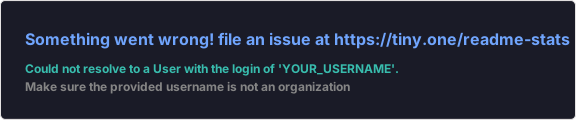
![GitHub Stats](https://github-readme-stats.vercel.app/api?username=YOUR_USERNAME&show_icons=true&theme=tokyonight&hide_border=true&count_private=true)
Section 17
GitHub Streak Counter
Shows your current and longest contribution streak. Motivating for you, interesting for visitors. Put it next to your stats card.
![GitHub Streak](https://github-readme-streak-stats.herokuapp.com/?user=YOUR_USERNAME&theme=tokyonight&hide_border=true)
Section 18
Top Languages Card
Shows the languages used most across your public repos. Use compact layout — it fits better next to other stat cards.
![Top Languages](https://github-readme-stats.vercel.app/api/top-langs/?username=YOUR_USERNAME&layout=compact&theme=tokyonight&hide_border=true)
Section 19
GitHub Trophies
Gamified milestone badges — commits, followers, stars, PRs. Looks great in a centered div spanning the full width.
<div align="center"> ![Trophies](https://github-profile-trophy.vercel.app/?username=YOUR_USERNAME&theme=tokyonight&no-frame=true&row=1&column=7) </div>
Section 20
Contribution Snake Animation
An animated snake eating your contribution graph. Needs a GitHub Action to generate but it's one of the most visually distinctive things you can add.
![Snake animation](https://raw.githubusercontent.com/YOUR_USERNAME/YOUR_USERNAME/output/github-contribution-grid-snake.svg)
Category 5 — Projects
Section 21
Featured Projects Table
A simple table with your best work. Name, what it does, tech used, link. This is the most important section for anyone evaluating you technically.
## 🚀 Projects I'm Proud Of | Project | What it does | Tech | Link | |---------|-------------|------|------| | **Autofix** | Auto-patches common Python security vulnerabilities | Python, AST | [→](https://github.com) | | **Moneymap** | Expense tracker with SMS parsing | Node.js, MongoDB | [→](https://github.com) |
Section 22
Pinned Repo Cards (via github-readme-stats)
Renders a card for a specific repo with stars, forks, and description. More visual than a table row.
[![Repo Card](https://github-readme-stats.vercel.app/api/pin/?username=YOUR_USERNAME&repo=REPO_NAME&theme=tokyonight&hide_border=true)](https://github.com/YOUR_USERNAME/REPO_NAME)
Section 23
Project Spotlight with Demo GIF
Pick your best project and show a screen recording of it working. A 5-second GIF does more than 500 words of description.
## ✨ Project Spotlight: ProjectName **What it does:** One sentence. ![Demo](https://your-url.com/demo.gif) Built with React · Deployed on Vercel · [Try it live →](https://yourproject.com)
Section 24
Open Source Contributions
List PRs you've merged into other projects. Even small contributions to well-known repos signal that you can read other people's code — a skill most employers undervalue.
## 🤝 Open Source Contributions - [react#12345](https://github.com/facebook/react/pull/12345) — Fixed memory leak in useEffect cleanup - [fastapi#6789](https://github.com/tiangolo/fastapi/pull/6789) — Added missing type hints in docs examples
Section 25
NPM / PyPI Package Stats
If you've published packages, show download counts. Real usage numbers are more impressive than any job title.
[![npm downloads](https://img.shields.io/npm/dm/your-package-name?style=flat-square&label=npm%20downloads)](https://www.npmjs.com/package/your-package-name)
Category 6 — Writing & Content
Section 26
Latest Blog Posts (Auto-updated)
Uses a GitHub Action to pull your latest posts from your RSS feed automatically. Set it up once, never update manually.
## 📝 Latest Posts <!-- BLOG-POST-LIST:START --> <!-- BLOG-POST-LIST:END --> *Auto-updated via [blog-post-workflow](https://github.com/marketplace/actions/blog-post-workflow)*
Section 27
Talks & Presentations
If you've spoken at meetups, conferences, or even internal team talks — list them. Speaking is a strong signal of expertise.
## 🎤 Talks - **"Scaling PostgreSQL to 10M rows without losing your mind"** — PyCon India 2025 - **"Building zero-downtime deploys with GitHub Actions"** — Local DevOps Meetup, Pune
Section 28
Dev.to / Hashnode Article Links
Manual list of your best articles. If you write technical content anywhere, link to it. It shows you can communicate — which matters as much as coding.
## ✍️ Things I've Written - [Why I stopped using ORM and started enjoying SQL again](https://dev.to) - [The one-line fix that saved us $800/month in AWS costs](https://dev.to)

Category 7 — Social Proof
Section 29
GitHub Stars Earned Badge
A real-time badge showing total stars across all your repos. If the number is respectable, show it prominently.
![Stars](https://img.shields.io/github/stars/YOUR_USERNAME?style=flat-square&label=Total%20Stars&color=yellow)
Section 30
Testimonials / Recommendations
A blockquote from a colleague, manager, or client. Even one honest recommendation adds more credibility than a hundred badges.
## 💬 What People Say > "Shubham shipped a feature in 2 days that our previous contractor quoted 3 weeks for." > — Rahul M., CTO at StartupName > "The cleanest API design I've reviewed all year." > — Comment on GitHub PR #234
Section 31
Hackathon Wins
If you've won or placed at hackathons, list them. Hackathon results are verifiable and time-bounded — they mean something.
## 🏆 Hackathons - 🥇 **1st place** — HackIndia 2025 (AI Track) — built a voice-to-SQL tool in 24 hours - 🥈 **2nd place** — ETHIndia 2024 — DeFi lending protocol
Section 32
Certifications
AWS, GCP, Azure, CKA, whatever you have. Link to the credential if you can verify it.
## 📜 Certifications - ☁️ AWS Certified Solutions Architect – Associate (2025) - 🐳 Certified Kubernetes Administrator (CKA) (2024) - 🔒 Google Cloud Professional Security Engineer (2024)
Category 8 — Connect & Contact
Section 33
Social Link Badges
LinkedIn, Twitter, portfolio, email — all as shield badges. Center them for a clean look.
<div align="center"> [![LinkedIn](https://img.shields.io/badge/LinkedIn-0077B5?style=for-the-badge&logo=linkedin&logoColor=white)](https://linkedin.com/in/YOUR_HANDLE) [![Twitter](https://img.shields.io/badge/Twitter-1DA1F2?style=for-the-badge&logo=twitter&logoColor=white)](https://twitter.com/YOUR_HANDLE) [![Portfolio](https://img.shields.io/badge/Portfolio-000?style=for-the-badge&logo=firefox&logoColor=white)](https://yoursite.com) [![Email](https://img.shields.io/badge/Email-D14836?style=for-the-badge&logo=gmail&logoColor=white)](mailto:you@email.com) </div>
Section 34
Calendly / Booking Link
If you do consulting, mentoring, or just like talking to people, link your calendar. Turns passive profile visits into actual conversations.
📅 **[Book a 30-min call with me](https://calendly.com/YOUR_HANDLE)** — happy to chat about your project, give feedback on your code, or just talk shop.
Section 35
Buy Me a Coffee / Sponsor Link
For open source maintainers, this is how you signal that your work is fundable. GitHub also has a native sponsor button in repo settings.
[![BuyMeACoffee](https://img.shields.io/badge/Buy%20Me%20a%20Coffee-ffdd00?style=for-the-badge&logo=buy-me-a-coffee&logoColor=black)](https://buymeacoffee.com/YOUR_HANDLE)
Category 9 — Creative & Personal
Section 36
Spotify Now Playing
Shows what you're currently listening to on Spotify, updated in real time. Humanizes your profile in a way nothing else does.
[![Spotify](https://novatorem.vercel.app/api/spotify?background_color=0d1117&border_color=ffffff)](https://open.spotify.com/user/YOUR_SPOTIFY_ID)
Section 37
Random Dev Quote
Pulls a random programming quote every time someone loads your profile. Small but memorable.
![Quote](https://quotes-github-readme.vercel.app/api?type=horizontal&theme=tokyonight)
Section 38
Joke of the Day
A programming joke that changes daily. Completely unnecessary, which is exactly why people love it.
![Jokes Card](https://readme-jokes.vercel.app/api?theme=tokyonight)
Section 39
Books I'm Reading
What technical books you're currently going through. Signals intellectual curiosity and gives people a conversation starter.
## 📚 Currently Reading - *Designing Data-Intensive Applications* — Martin Kleppmann - *A Philosophy of Software Design* — John Ousterhout - *Staff Engineer* — Will Larson
Section 40
Hobbies Outside Code
One or two lines about what you do when you're not coding. Makes you a real person. Recruiters spend 90% of their day reading profiles from people who sound like robots.
## 🎯 Outside Code When I'm not pushing commits, I'm probably playing chess (1600 ELO, if you want to play), hiking somewhere with bad cell signal, or arguing about whether tabs or spaces actually matters (it doesn't).
Category 10 — For Students & Early Career
Section 41
Education Section
Your degree, institution, expected graduation. For students, this is important context. Keep it brief.
## 🎓 Education **B.Tech in Computer Science** — IIT Bombay (Expected 2027) Relevant coursework: Data Structures, OS, DBMS, Computer Networks
Section 42
Currently Learning Section
A progress tracker of what you're actively learning. Shows intellectual honesty — you know what you don't know yet.
## 🌱 Currently Learning - [ ] System Design (reading *Designing Data-Intensive Applications*) - [x] Docker & containerization ✅ - [ ] Kubernetes (50% through the CKA curriculum) - [ ] Rust (this is taking longer than expected)
Section 43
Coding Profiles / Competitive Programming
LeetCode, Codeforces, HackerRank — link your profiles and show your rating if it's respectable. For freshers, this is often more relevant than work experience.
## 💻 Coding Profiles [![LeetCode](https://img.shields.io/badge/LeetCode-FFA116?style=flat-square&logo=leetcode&logoColor=black)](https://leetcode.com/YOUR_HANDLE) 450+ problems solved [![Codeforces](https://img.shields.io/badge/Codeforces-1F8ACB?style=flat-square&logo=codeforces&logoColor=white)](https://codeforces.com/profile/YOUR_HANDLE) Rating: 1547
Section 44
Internship / Work Experience
Brief bullet points about past internships. Focus on what you shipped, not your responsibilities.
## 💼 Experience **Software Engineering Intern** @ CompanyName (Summer 2025) - Reduced API response time by 40% by adding Redis caching - Shipped a dashboard feature used by 2,000 internal users
Category 11 — Layout & Structure Tricks
Section 45
Two-Column Layout Using HTML Table
GitHub doesn't support CSS grid in READMEs, but you can fake two columns with an HTML table. Useful for putting stats cards side by side.
<table> <tr> <td>![Stats](stats-card-url)</td> <td>![Langs](langs-card-url)</td> </tr> </table>
Section 46
Collapsible Sections
Use HTML details/summary tags to hide long content behind a toggle. Keeps your profile clean without cutting information.
<details> <summary>📚 Click to see all my projects (12 total)</summary> Your long list of projects here... </details>
Section 47
Horizontal Rule as Section Divider
Simple but underused. Three dashes creates a clean visual break between sections. Much better than blank lines.
---
Section 48
Emoji as Section Icons
Every heading gets an emoji. Sounds tacky, works well in practice. GitHub renders emoji natively and they make long profiles scannable in seconds.
## 🛠️ Tech Stack ## 📊 GitHub Stats ## 🚀 Projects ## 🤝 Connect With Me
Category 12 — The Footer
Section 49
Closing Quote
End your profile with something memorable. A quote you actually believe in, not something you found on a "best programming quotes" listicle.
--- *"The best time to plant a tree was 20 years ago. The second best time is to open a PR."*
Section 50
Last Updated Timestamp
A single line at the bottom showing when you last updated the profile. Signals that this is maintained, not abandoned. Automate it with a GitHub Action if you want.
<div align="right"> <sub>Last updated: July 2026</sub> </div>
⚠️ One thing before you copy everything: The worst GitHub profiles I've seen are the ones that include every widget, every badge, every section — and end up saying nothing about the actual person. Pick the sections that are true for you. A profile with 10 genuine sections beats one with 50 padded ones every time.

How to Put It All Together

Start with your opening (sections 1–5), pick 3–4 from the "About Me" category that actually describe you, add your tech stack in whatever format feels right, include your best 2–3 projects with real descriptions, and end with your contact links. That's already a better profile than 95% of GitHub.

If you want to build your README without writing all this markdown by hand, I built a free generator at ReadmeDesign that handles the structure for you — you fill in your details and it produces the full markdown file, ready to paste.

Build your README in 2 minutes

Fill in your name, stack, and links — get a complete, copyable README instantly. No account needed.

Open the Generator →
👨‍💻
Shubham Sharma
Software engineer and the person behind ReadmeDesign. Built this site after spending way too long trying to make my own GitHub profile not look embarrassing. Now helps other developers do it faster.

Build your profile README in 2 minutes

Use our free generator, live sandbox, or 9 pre-built role templates.

Try Generator
SS

Shubham Sharma

Founder & IT Professional @ ReadmeDesign

IT professional building developer tools. Passionate about developer documentation, clean Markdown formatting, and helping software engineers stand out on GitHub.